Citrix Workspace App installation on Microsoft Windows

if there is any issue during install, think to uninstall all Citrix Workspace App packages
Even if the software update itself, you may need to first uninstall the old version, before trying to install the new version.
Download the package
- The citrix client software is named Citrix Workspace App for Windows
- Download the Citrix Workspace App for Windows, Here
Installing Citrix Workspace App for Windows
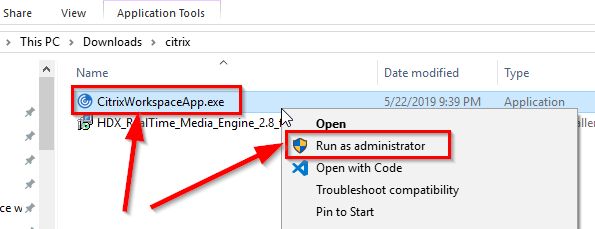
- Launch the installation by Right click on the CitrixWorkspaceApp.exe and click on Run as administrator
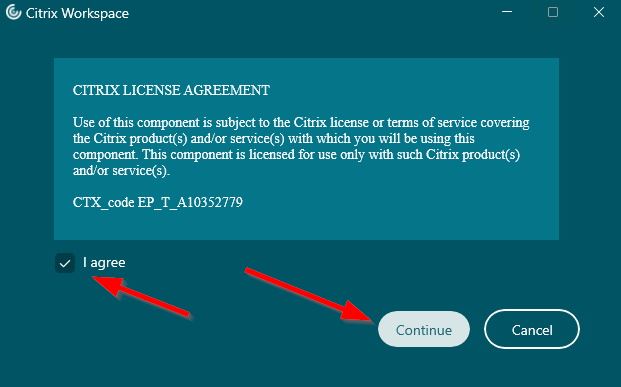
- Click on Continue !

- Check the box I agree and Click on Continue
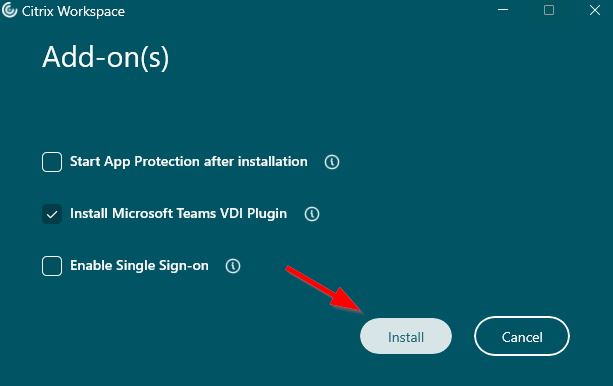
- Click on Install Microsoft Teams VDI Plugin

- Click on I agree to accept the MS Teams VDI Plugin

- Click on Install
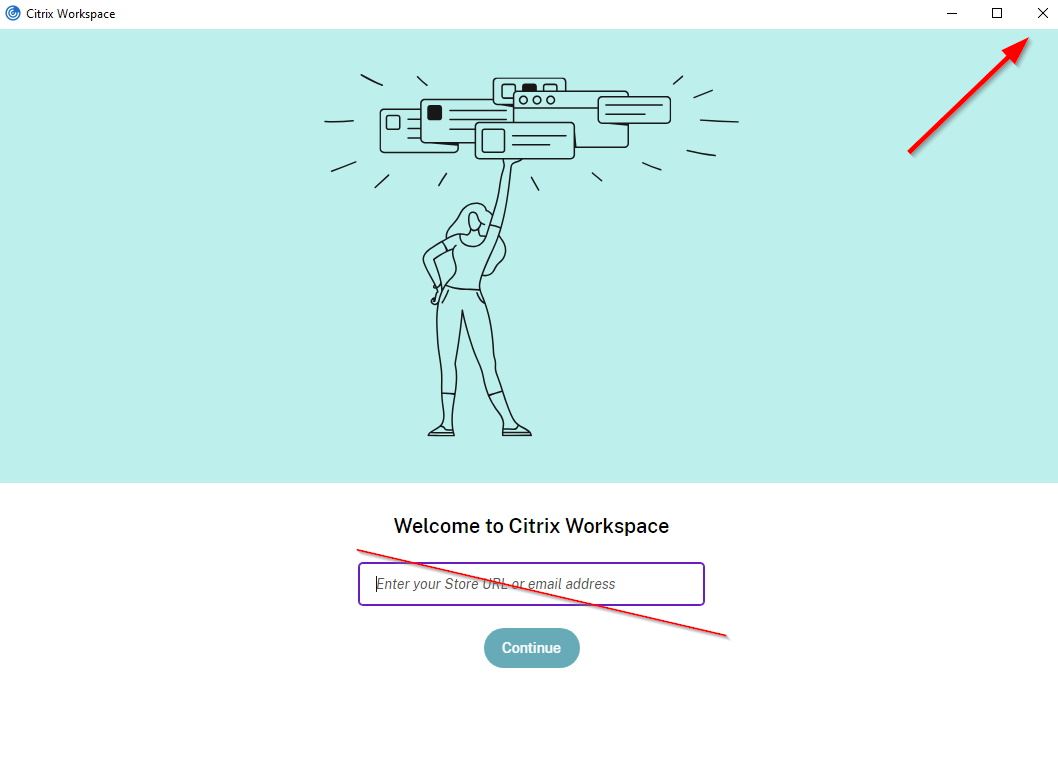
- No need to enter url or email, and click on close
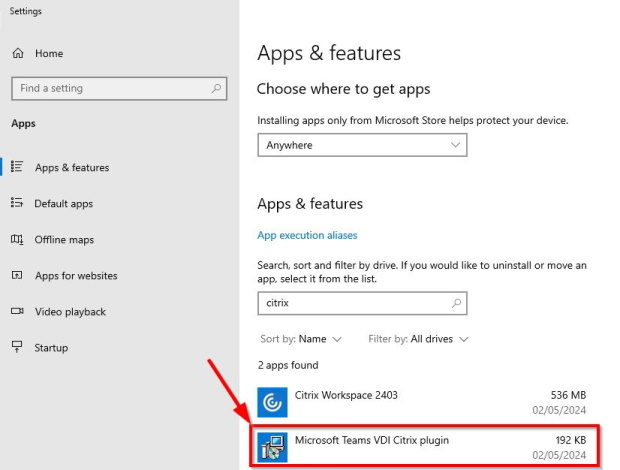
Check if MS Teams plugin is installed
Microsoft Teams VDI Plugin
With the Citrix Workspace App 2403, the Teams plugin is not mandatory, so:
Ensure this plugin is installed, you will have very poor Teams meeting experience if it's not installed.
Check the presence in the Add or remove programs 
Look for Microsoft Teams VDI Citrix plugin