Yubikey support on Mac Book

Warning
Please while using the yubikey, remember to use the Pin code of the Yubikey. Do not use the smartcard Pin code, with the Yubikey
If you enter the wrong pin code (exemple the smartcard pin code, instead of Yubikey one) you can lock the yubikey.
If Yubikey is locked, contact Yubikey support.
Download the package and install
-
go ont the Yubikey Manager page download
- select the macOS Download, and get the pkg file (example: yubikey-manager-qt-1.1.5b-mac.pkg).
-
Once the file is downloaded, install the Yubikey Manager
- Select and launch the Yubikey Manager icon

- You can then check if your Yubikey is working fine
once installed, the software and after pluging the dongle, you can go and connect to MobiOffice portal.
| Yubikey manager interface | |
|---|---|
| Without the Yubikey connected | 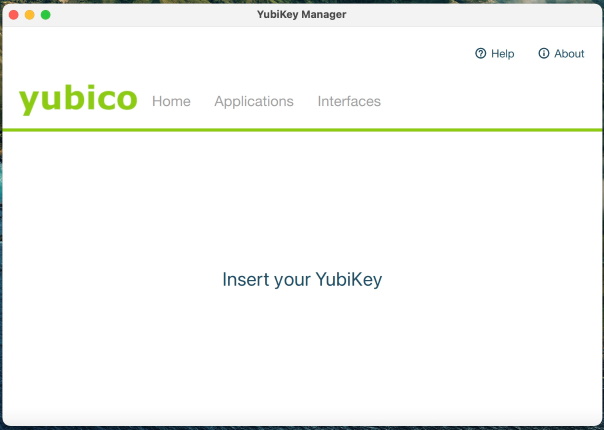 |
| With the Yubikey connected | 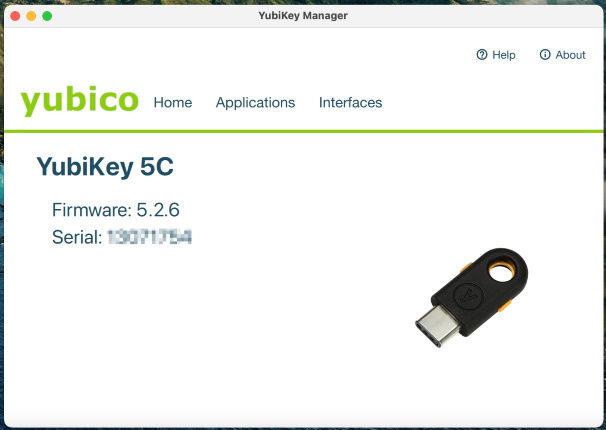 |
Double certificates
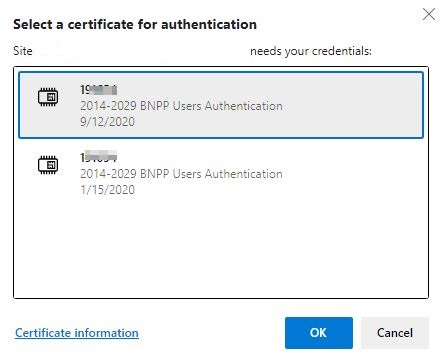
If you access the HVD using the Smartcard and the Yubikey, when using some apps you may be prompted with multiple certificates.
That's because each device (smartcard et Yubikey) have is own certificate (both valide).
The issue is to select the one that correspond to the right device.
One way is to identify the certificate by their date, example:
-
you received the smartcard before the Yubikey,
- the smartcard certificate is older than the Yubikey
- so if using the Yubikey, click on the youngest certificate.
-
you received/renewed the smartcard after the Yubikey,
- the smartcard certificate is newer than the Yubikey
- so if using the Yubikey, click on the oldest certificate.