How to use an HVD on a Macbook connected to an external screen

Citrix Workspace App will display on the HVD with the resolution set on the client device.
If the macbook is configured to diplay 1024x768, the HVD will open with this definition
Let's suppose this is the hardware setup:
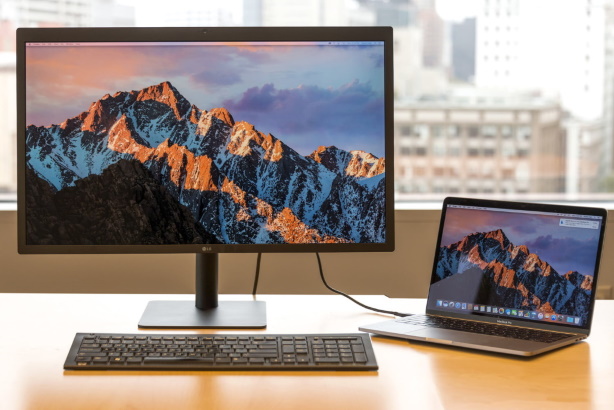
- macbook connected to 4k screen via USB-CAM
Once you get a new smartcard or smartard reader, please proceed to a test with the support before going back to home
Before connecting to the HVD
We will, configure the resolution on the big screen.
| Go on Display settings | 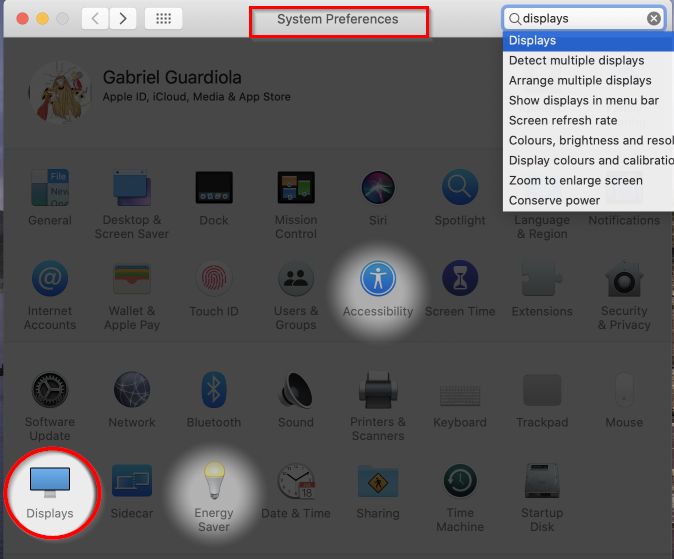 |
| the settings window will appear on the 2 screens | 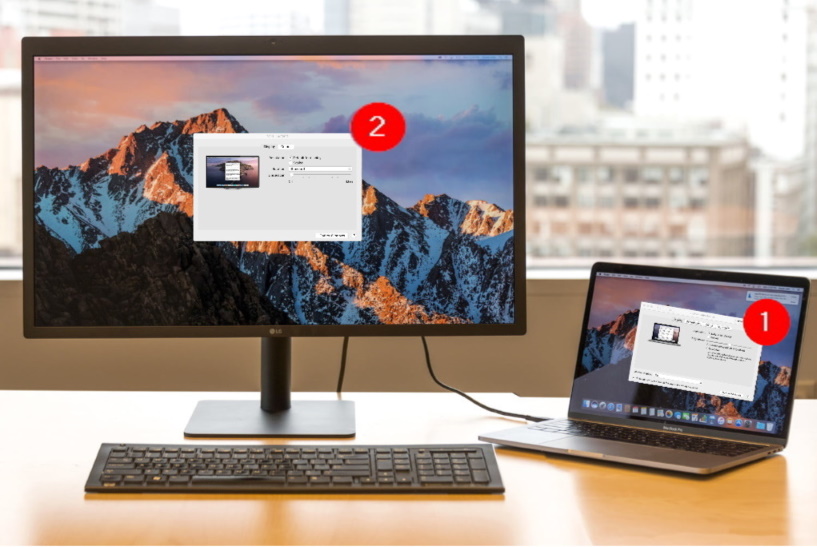 |
| Usually you just want to ensure the second screen got the good resolution, Go on the Window Setting on the 4k screen (2) |
|
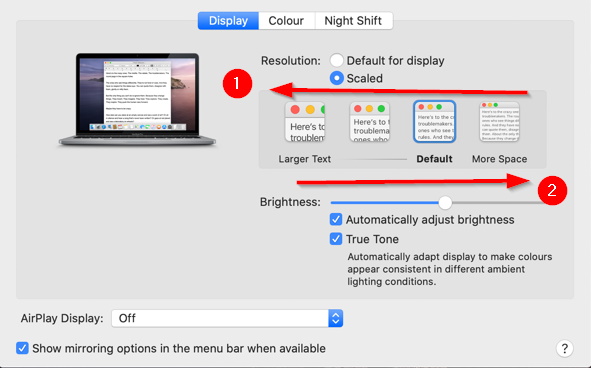
| click on Scaled | 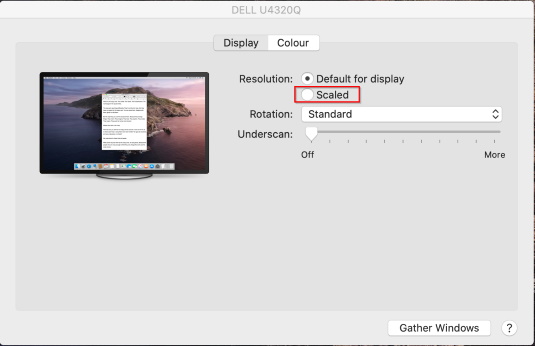 |
| Choose the definition - Going to (1) allow bigger text and less space to work - Going to (2) allow smaller text and more space to work |
 |