Graphics issues
when using a second screen bigger thant the first one, all text ands window are "bigger"
on some case, when you connect a second screen that is bigger (for example a 4k screen), the definition you expect is not in place.
- 2 things to check :
- you must have the expected definition BEFORE connecting to the HVD.
- for example try a internet explorer on this window and get the RIGHT definition on your local computer.
- only then connect to the HVd and expand the window to the 2 screen or put the hvd window on this bigger screen
- after checking you local computer definition is ok, and after connecting to the HVD, check:
- inside the HVD go on Display settings, and check the value of "Scale and layout"
- set it to the value you need, at least 100%
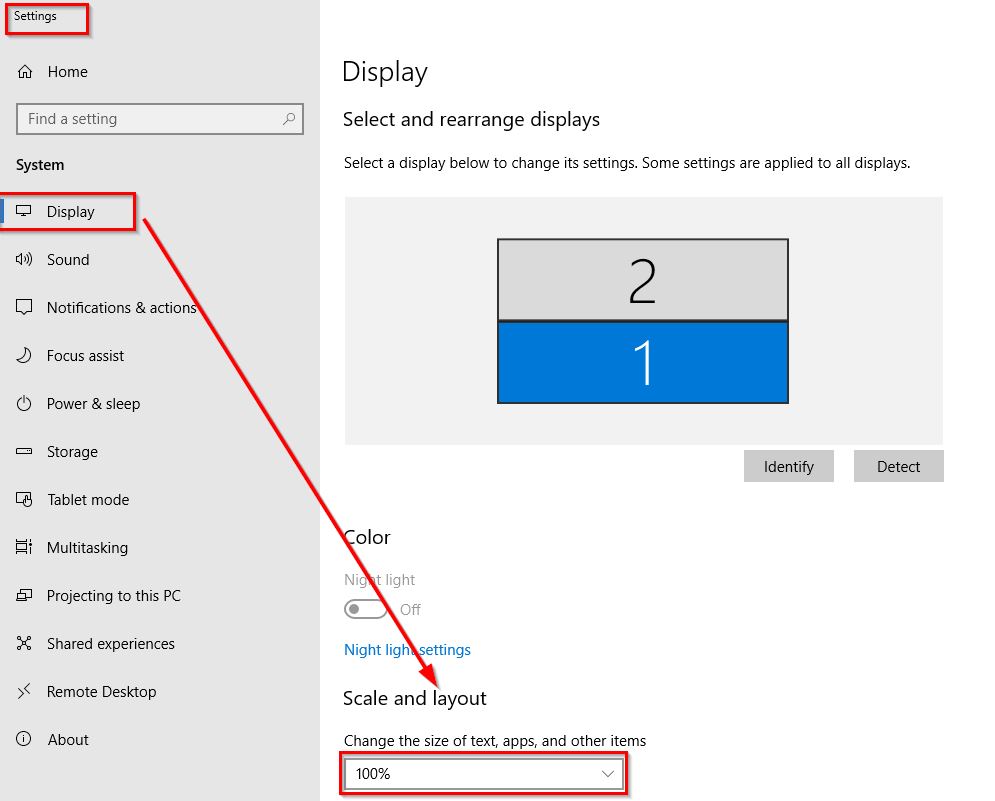
- you must have the expected definition BEFORE connecting to the HVD.
When trying to display the HVd to full screen on multiple monitors, the HVD appear not on fullscreen on some screens
This happen essentially if the screens used, are different size and performance/definition size.
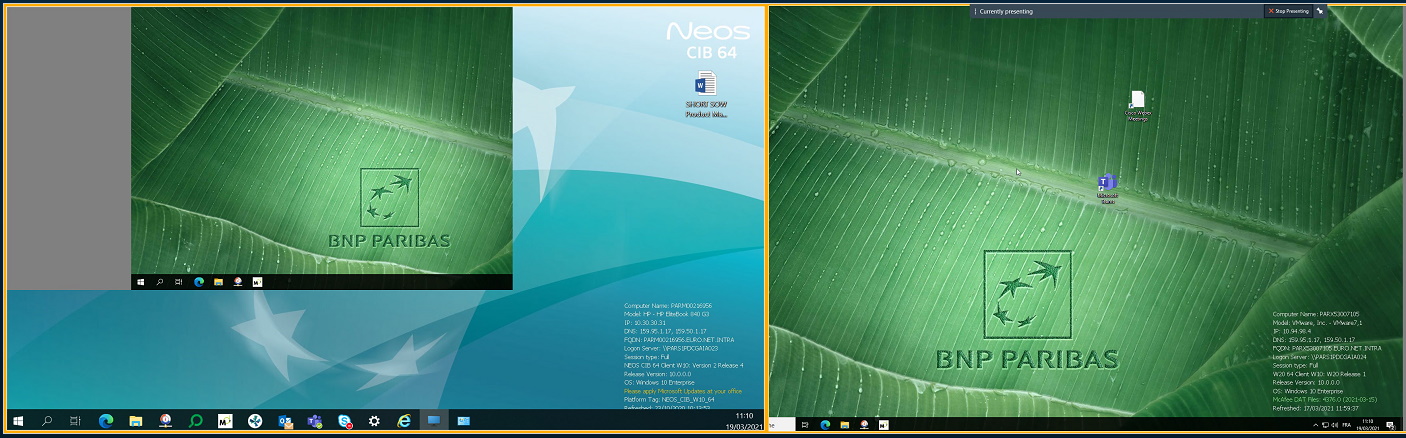
| this settings is in Citrix Workspace App (CWA) configuration. | |
|---|---|
| go on the icon of CWA, near the clock, right click on Citrix Workspace App to show up | 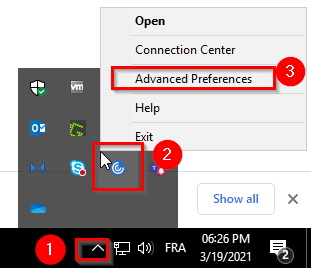 |
| Once "Advanced Preferences" is open, click on High DPI | 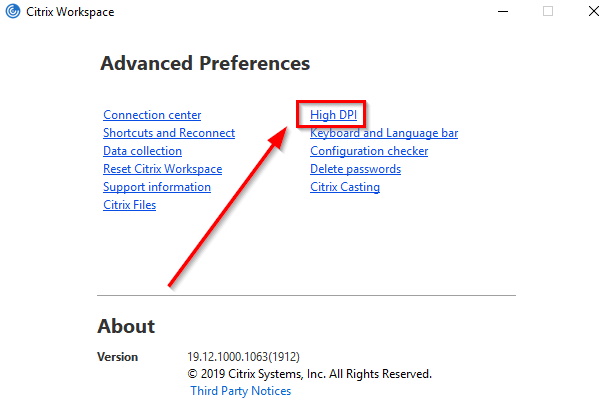 |
| Ensure No, use the native resolution is selected Be aware you need to restart the citrix connection, to be effective. | 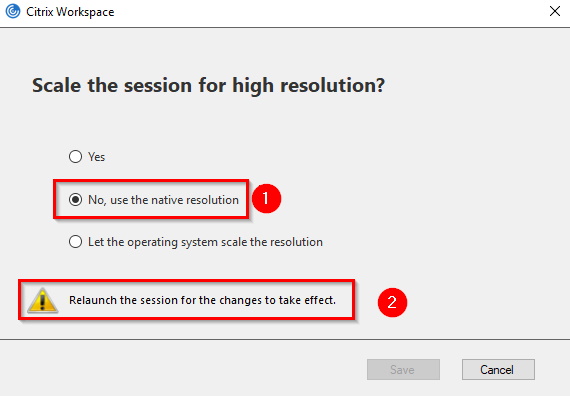 |