Check the smartcard is working on Windows

Infos
On windows, you don't need Safenet Smartcard driver installed on you personnal pc.
The first time the smartcard reader is connected and a smartcard is inserted, Windows will install automatically the standard drivers.
Tip
there is a smartcard F.A.Q. with different tips you can check
if you want to check, if smartcard is accessible:
| Checking if the smartcard can be read | |
|---|---|
| - ensure the smartcard IS NOT in the reader | |
| - Start Certificate Manager - > "Start Menu" -> "Run" -> "certmgr.msc" | 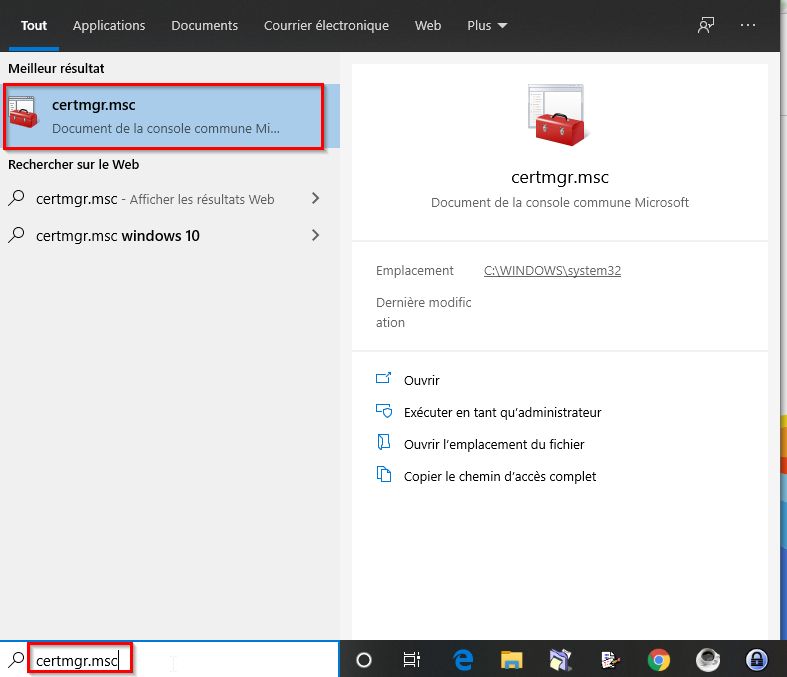 |
| - if the smartcard is not present, you should not have any certificates - the GREEN squa re show eventually the list of certificates of your last session | 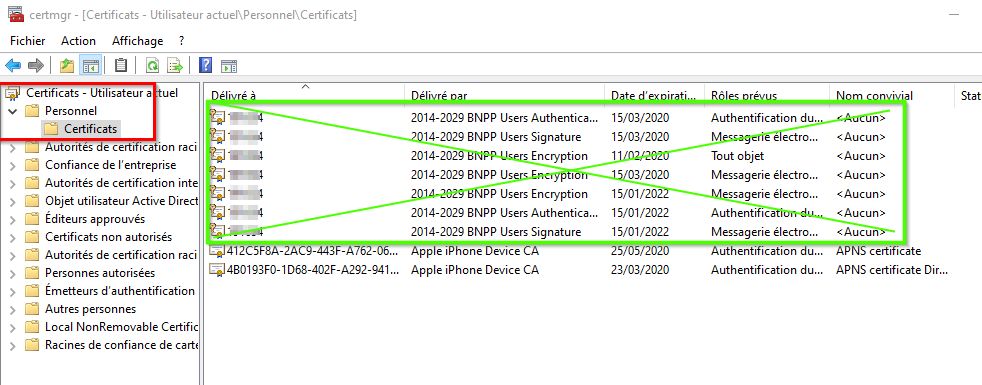 |
| - You can remove the BNPP certificate - Next time you insert your smartcard if all is ok, the certificates will appear again | |
| - Once there is no more BNPP cerificates, insert again your smartcard - The reader led will blink and finally the certificates should appear (you can refresh the window | 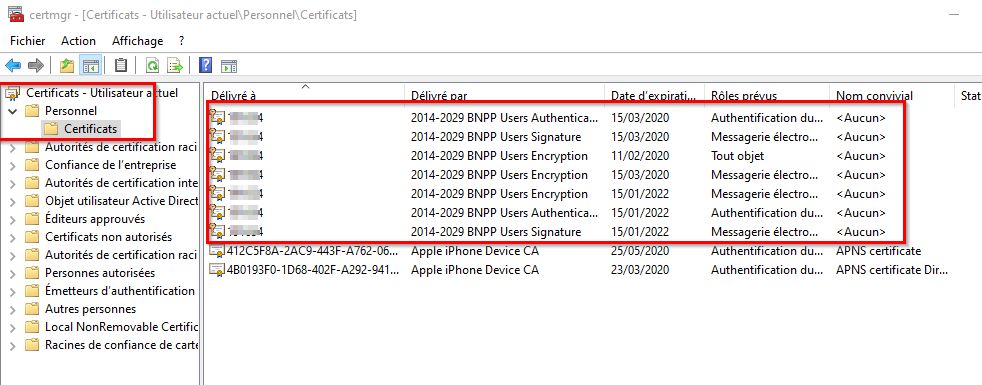 |